Nail salon owner guide
A 30-Day Social Media Calendar for Nail Salons
A useful month of salon content gives people different reasons to pay attention: a finished look, a service explained, a glimpse of the visit and practical booking information. Use the calendar to mix those jobs, choosing the ideas your team has material to support.
Owner resources · Nail Marketing · Updated November 9, 2026
Mix four kinds of useful post
| Role | Salon example | Material needed |
|---|---|---|
| Show the result | A finished shape, color or design. | A clear photo of the actual work and its service name. |
| Help someone choose | A difference between pedicure options or a design-pricing question. | The menu and one specific explanation. |
| Introduce the visit | The entrance, pedicure area or a team member. | Current location or people photographs with permission. |
| Make the next step practical | Booking, holiday hours or gift-card instructions. | The correct destination and current details. |
Alternate these purposes instead of filling the month with similar finished-set photos and identical booking captions. A short shoot can supply several angles, but each post should add information of its own. Select a publishing pace the team can maintain; the 30 ideas are options.
Write the detail that the photo cannot explain
A close-up already shows the color and shape. The caption can add the service name, the design detail that affects the quote or how a guest should request a similar look. A pedicure photo may need one clear inclusion; an entrance photo may need the useful arrival detail.
Not every post needs a sales instruction. A service explanation can lead to the menu, an availability message to booking and a team introduction can simply help people recognize the person. Read the caption aloud and remove words that could belong to any salon without changing the meaning.
Review the month
Look at relevant questions, profile actions and booking-path traffic alongside reach and saves. Note which posts helped guests choose a service and which attracted unrelated interest. Use those observations to plan the next month. A content calendar supports consistent communication; it does not guarantee a certain number of appointments.
Twelve caption starting points with different purposes
Use these as starting points for the matching photograph or message. Replace every bracket with the salon’s own information and leave out a sentence that does not fit. Some posts explain, some introduce and some invite a booking.
A closer look at [shape] in [color], created with [service name]. [One detail visible in the photograph].
Choosing between [option A] and [option B]? The main difference is [actual difference]. Compare the full options here: [menu link].
Your first visit to [Salon]: find us at [location]. [Useful entrance or parking detail]. Directions: [link].
[Service name] includes [specific included step]. If you are considering [additional request], [how the salon handles it].
The detail in this set: [design detail]. [Accurate note about design pricing or consultation].
A view of our [pedicure area or other actual space]. [One factual detail about the visit].
Meet [name], our [role]. [One personal or professional detail they have agreed to share].
Planning a [service] appointment on [dates]? View the available times here: [booking link].
Bringing a design reference? [How and when to send it]. We can help you choose the right appointment through [contact method].
Our [holiday] hours are [hours or closure]. Find the current schedule here: [location link].
A gift from [Salon], chosen by you. Explore [actual gift-card options] and how to receive them: [purchase information].
A few [theme or palette] ideas from our work gallery. [Service detail that helps someone choose among them].
Six short Reel storyboards
| Idea | Opening | Middle | Finish |
|---|---|---|---|
| Service detail | Show one approved finished set. | Close detail with the actual service name. | Menu or booking destination. |
| Find the salon | Show the real entrance. | A useful direction or parking detail. | Address and visit information. |
| First visit | One common customer question. | Answer using the salon’s actual process. | Link to the full information. |
| Service choice | Show two real options. | Explain one verified difference. | Invite the guest to review the menu. |
| Seasonal planning | Show approved seasonal work. | Confirmed dates, hours or terms. | Relevant appointment or campaign page. |
| Gift-card process | Show the actual card or purchase screen without personal data. | Explain delivery and recipient steps. | Real purchase page and terms. |
Use footage you are allowed to publish. Check exposure, focus and readable captions on a phone. Do not change a client result so heavily that it no longer represents the salon’s work.
Three photo briefs for the calendar
- Service close-up: show the actual finished work, with permission; confirm the service name and any add-on shown.
- Salon visit: photograph the entrance or a useful interior view; remove private records from the frame.
- Campaign asset: use the approved product or service image and the exact confirmed offer copy; proofread price, dates and conditions.
The editable calendar below starts with 30 ideas. Add the intended date, asset reference, approval and status, then export CSV. The entries stay in this page session until you download them; they are not automatically scheduled or published.
Three framing ideas for your social calendar
Illustrations from this website’s existing image library. For salon posts, use your own service photos with guest permission; these are not Nail Marketing client case-study results.
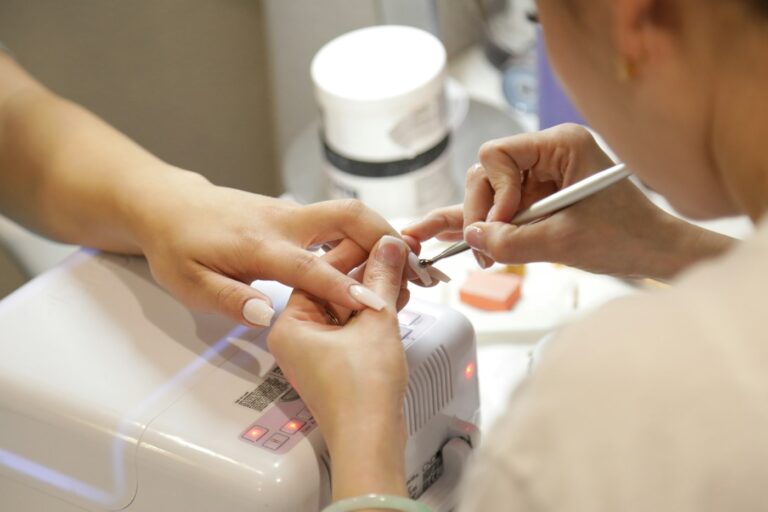
Process detail
Use a close view of the actual service and explain one step. Avoid implying a safety or hygiene claim from a photograph alone.

Finished look
A vertical close-up highlights the shape and color. State the actual service and quote only an approved price.

Simple background
Leave breathing room around the hand. Keep promotional text short and leave the contact details readable.
Editable 30-day calendar
Enter your own data. Edits are not saved after a page reload; download CSV before leaving.
| Day / idea | Fact check | Publish date | Asset | Caption | Approver | Status |
|---|---|---|---|---|---|---|
| 1. Introduce the salon | Location + booking link | |||||
| 2. Show an approved manicure | Name the actual service | |||||
| 3. Explain a price question | Link to the menu | |||||
| 4. Share the salon space | Accurate access information | |||||
| 5. Show available appointments | Confirm times before posting | |||||
| 6. Introduce a team member | Only approved details | |||||
| 7. Answer a booking question | Explain the next step | |||||
| 8. Feature a pedicure service | State what is included | |||||
| 9. Show a nail-art detail | Mention consultation or add-on terms | |||||
| 10. Explain preparation | Use the salon's actual guidance | |||||
| 11. Share a client-approved photo | Obtain permission | |||||
| 12. Show a weekday opening | Match staff capacity | |||||
| 13. Answer a menu question | Avoid unsupported claims | |||||
| 14. Recap the week | Invite relevant questions | |||||
| 15. Explain two service options | Help a guest choose | |||||
| 16. Show a seasonal colour | Use work the salon can provide | |||||
| 17. Share directions | Check the map link | |||||
| 18. Introduce a salon process | Describe what actually happens | |||||
| 19. Feature an approved set | Use an accurate caption | |||||
| 20. Explain a booking policy | Quote the current policy accurately | |||||
| 21. Review common questions | Answer one clearly | |||||
| 22. Show a detail from the salon | Keep private information out | |||||
| 23. Offer a planning reminder | Tie it to real availability | |||||
| 24. Explain an add-on | State pricing conditions | |||||
| 25. Feature another service | Link to its menu section | |||||
| 26. Share a simple before/after | Use only authentic, approved images | |||||
| 27. Explain how to contact the salon | Confirm response responsibilities | |||||
| 28. Share weekend availability | Check the schedule first | |||||
| 29. Recap useful service information | Link to the full menu | |||||
| 30. Review the month | Plan next month from enquiries |
Questions before you begin
Do I have to post all 30 ideas?
No. Select an achievable schedule and keep each post useful and accurate.
Can I reuse a photo?
Yes when you have permission and the new message remains accurate. Avoid presenting an old appointment as new work if that would mislead.
Plan the month from the material you have
Gather the salon’s current service photos, short clips, menu and upcoming dates. Build a varied schedule around that material and identify the few missing shots worth producing.